Published Klaviyo Technology PartnerView Marketplace listing

Production-grade email slicing for Klaviyo teams

Turn approved email designs into editable Klaviyo templates—without rebuilding them.

Import from Figma or upload a JPG or PNG. Email-Slicer detects the production structure, lets your team review editable content, slices, links and alt text, then exports the finished template to the right Klaviyo account.

5 free exports · No credit card · Connect Klaviyo only when you export

Email-Slicer review screen: a tall ecommerce email with detected horizontal slice guides and a product row marked to split into three columns
Detected slice guides on an uploaded email design inside Email-Slicer.
  • 100+

    Klaviyo installs

  • Trusted by agencies

    and brands worldwide

  • 4.9/5

    ★★★★★

    From real users

  • Klaviyo Technology Partner

7,000+ exports analyzed

Average export time: 4 minutes

Observed elapsed project-to-export time across 7,000+ exports — not active labor time or guaranteed time saved.

Production-grade email slicing

The slice is only the start.

Most slicing workflows focus on cutting a design and moving images into an ESP. Email-Slicer is built around the production handoff: understanding the approved design, recovering useful structure, keeping the operator in control and producing a template the team can continue working with in Klaviyo.

Basic email slicing

  • Cut the image
  • Compress assets
  • Move slices into the ESP
  • Create a draft
  • Finish production elsewhere

Production-grade email slicing

  • Interpret the approved design
  • Recover useful structure
  • Review before export
  • Combine editable and visual output
  • Continue production in Klaviyo
See how this works for Klaviyo

From approved design to production-ready Klaviyo template

Automation prepares the first pass. Your team approves what reaches Klaviyo.

  1. An approved skincare email design uploaded to Email-Slicer as a single JPG
    01

    Approved design

    Start where the approved design already exists.

  2. Email-Slicer review panel with per-column alt text and link fields on a detected product row
    02

    Email-Slicer review

    Review structure, slices, columns, editable content, links and alt text.

  3. The exported Email-Slicer template open in the Klaviyo template editor
    03

    Klaviyo template

    Export the reviewed template to the intended account and continue editing or QA in Klaviyo.

Human control

Automation where it saves time. Human control where it matters.

Email-Slicer proposes a production structure from the approved design. Your team reviews the decisions that affect the final email, and nothing is created in Klaviyo until that review is done. No black-box export.

  • Slices & columns

    Move, add or remove slice guides and split rows into columns.

  • Structure detection

    Start from detected sections instead of rebuilding the approved design from scratch.

  • Editable vs visual

    Decide which sections become editable Klaviyo text and which stay as image slices.

  • Links & alt text

    Complete link targets and alt text per section and per column.

  • Desktop & mobile variants

    Select the relevant image variant and review its production structure before export.

  • Review before export

    Confirm the proposed production decisions before anything is created in Klaviyo.

  • Universal blocks

    Add Universal Content from your Klaviyo account in one click and set default blocks for future templates.

  • Account routing

    Choose the Klaviyo account the reviewed template is created in.

Why production-grade

What matters after the image is sliced.

  • Recover useful structure

    Email-Slicer prepares more than image boundaries so the resulting email remains practical to work with.

  • Editable where it matters

    Preserve editable content where it adds production value and visual sections where maintaining the approved design is the better choice.

  • Review before export

    Automation prepares the first pass. Your team reviews the decisions that affect the final template before anything reaches Klaviyo.

  • Route to the right account

    Choose the intended Klaviyo destination when exporting recurring work across clients and brands.

For recurring production

Built for recurring Klaviyo production—not just one-off slicing.

Email-Slicer is designed for teams that move approved campaigns into Klaviyo repeatedly across clients, brands and accounts.

  • Multiple client and Klaviyo accounts, with the destination chosen at export
  • Team roles that separate billing and integrations from production access
  • Project history per client, so past work stays traceable
  • Visible usage against your plan limits
  • Recurring production and handoffs between designers, producers and reviewers

Increase production capacity without making every approved design another manual rebuild.

Explore Email-Slicer for agencies →

Dedicated API Capacity

Built for reliable Klaviyo workflows

Email-Slicer connects through Klaviyo OAuth, giving the app its own API rate-limit quota for each connected account — isolated from private-key integrations and other OAuth apps.

Klaviyo Tech Partner — Published
Email-Slicer export panel with the destination Klaviyo integration selected and the template named
Each export names its template and its destination Klaviyo account.

Inputs

Start where the approved design already lives.

Email-Slicer takes the design your team produced—no proprietary format, no developer handoff file—and hands a reviewed template to Klaviyo.

  • Figma designAvailable today
  • JPG or PNG export

Email-Slicer

Production structure proposed, then reviewed by your team.

Klaviyo template

Editable in the account you chose at export, with reviewed desktop and mobile image handling.

Explore Figma to Klaviyo →

More design-source and ESP workflows are planned.

  • Canva integration · Coming soon
  • Mailchimp · Coming soon
  • ActiveCampaign · Coming soon

Compare email slicers

Not every email slicer solves the same production problem.

Evaluate an email slicer by what happens after the cut—not only how quickly it creates image slices.

  • Structure recovery

    Does the workflow understand more than image boundaries?

  • Editability

    What remains practical to edit after export?

  • Human review

    Can the operator inspect and correct production decisions before shipping?

  • Account workflow

    Can recurring work be routed safely across clients and Klaviyo accounts?

  • Output usability

    Can the team continue editing and QA inside the ESP?

Tools buyers may encounter: Email Snipper · Carvr · Klivo Slice · EmailSlicer.app · Autosliced · Slicely

See the best email slicer tools compared

Evidence

Evidence from real production and the Klaviyo ecosystem.

Official marketplace listing

Listed in the Klaviyo Marketplace

Email-Slicer is a published technology partner in the Klaviyo Marketplace.

Klaviyo Tech Partner — Published

Published Klaviyo Technology Partner
v2026.09.08 · ID: 96974790

Klaviyo Technology Partner

  • Connect your Klaviyo account in one click
  • Dedicated API capacity for faster, more reliable uploads
  • Direct access to new Klaviyo features
  • A smoother, more stable integration experience
View on Klaviyo Marketplace →

Featured by Klaviyo Partners

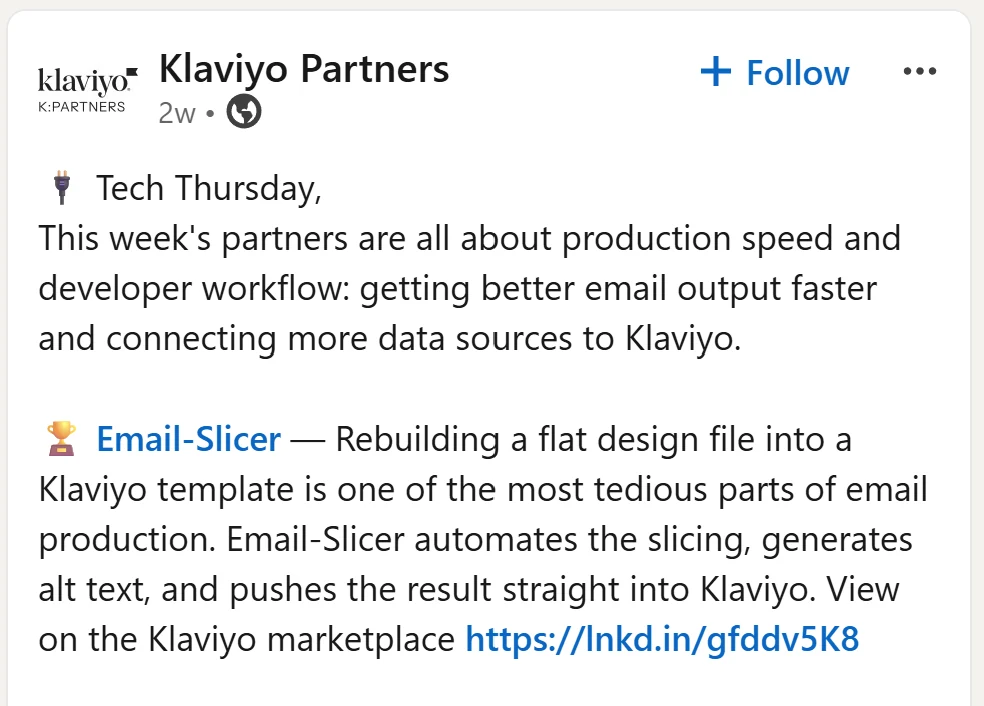
Tech Thursday

Klaviyo Partners highlighted Email-Slicer as part of its production-speed and developer-workflow partner roundup.

Screenshot of a Klaviyo Partners Tech Thursday LinkedIn post featuring Email-Slicer and describing its Klaviyo email-production workflow.

Featured by Klaviyo Partners in Tech Thursday.

View the Klaviyo post →

Start with a real production job.

Use your 5 free exports to evaluate Email-Slicer with actual production work. Bring a real design, review the structure and see what reaches Klaviyo before deciding whether the workflow fits your team.

Around your third use, you can activate 10 days of Master access with no credit card required.

5 free exports · No credit card · Connect Klaviyo only when you export

A real email design open in Email-Slicer with detected slice guides ready for review
Your first project: the approved design, reviewed slice by slice.

Plans that scale with your production.

Start with 5 free exports, then choose a plan based on monthly projects, connected Klaviyo accounts and team size. Paid plans start at $19/month.

If you activate the Master trial during evaluation, you get 10 days of Master access before choosing a paid plan.

  • Free

    $0

    5 free exports

    • 5 lifetime uses
    • Universal Blocks
  • Beginner

    $19/month

    Occasional production

    • 15 projects per month
    • 5 integrations
    • Owner only
    • Figma Import
  • Most Popular

    Master

    $59/month

    Recurring production teams

    • 75 projects per month
    • 10 integrations
    • 3 active collaborators + owner
    • Figma Import
    • Priority support
  • Sensei

    $299/month

    Agencies and multi-account production

    • 500 projects per month
    • 20 integrations
    • 10 active collaborators + owner
    • Figma Import
    • Private Slack Support

Frequently asked questions

Your next approved design is enough.

Bring the design. Review the production structure. See what lands in Klaviyo.

5 free exports · No credit card required

Ask AI about Email-Slicer

Open your assistant with a ready-made question about what Email-Slicer does, who it is for and how it fits your Klaviyo production workflow.

Add us as a preferred source on Google
Slice your first email free