
Image to Klaviyo template
Convert a JPG or PNG email design into an editable Klaviyo template
Email-Slicer takes the flat image your team already approved, proposes the slice structure, and exports a reviewed, responsive Klaviyo template — instead of a single flat image pasted into an email.
Upload happens in the product
Create your account and continue directly to your first project. Your design is uploaded inside Email-Slicer; Klaviyo is connected later when you export.
5 free exports · No credit card required
From approved design to production-ready Klaviyo template
Automation prepares the first pass. Your team approves what reaches Klaviyo.
 01
01Approved design
Start where the approved design already exists.
 02
02Email-Slicer review
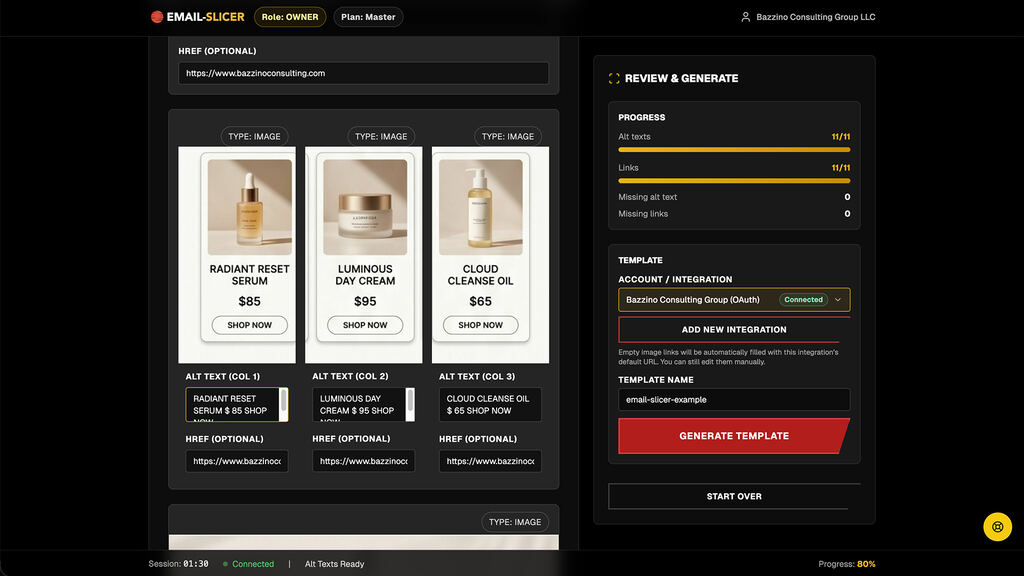
Review structure, slices, columns, editable content, links and alt text.
 03
03Klaviyo template
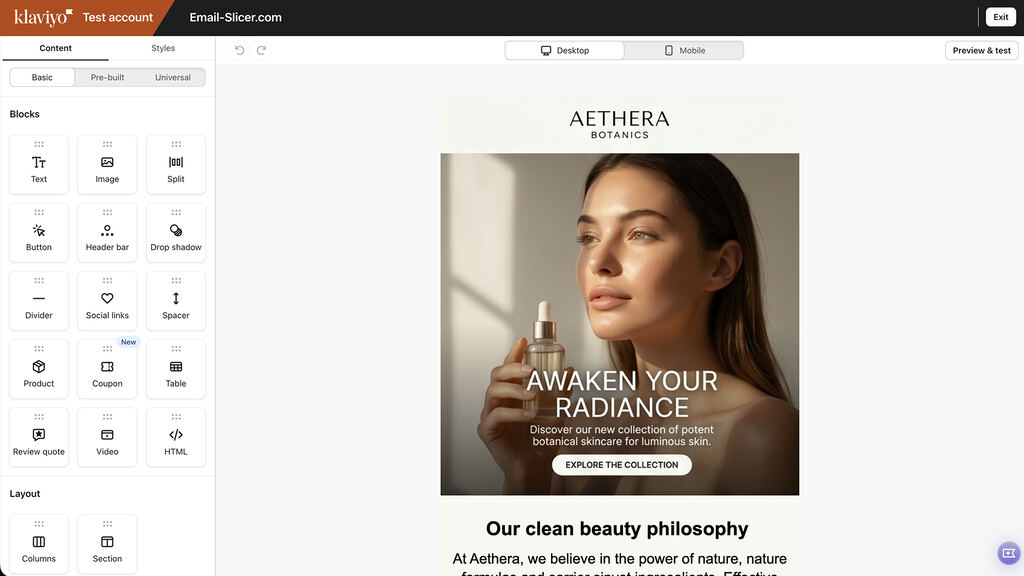
Export the reviewed template to the intended account and continue editing or QA in Klaviyo.


What you can upload
JPG email designs
Flat JPG exports of an approved campaign, including long ecommerce layouts.
PNG email designs
PNG exports from any design tool, including screens exported at 2x.
One design per project
Each project starts from a single approved design and produces one Klaviyo template.
Because the input is an image, the approved design can come from Figma, Photoshop, Illustrator, Canva, Sketch, or a client-supplied export. Complex layouts may need adjustments during review.
What the exported template looks like

Editable text blocks
Eligible image-based copy can be converted into real Klaviyo text blocks with editable content, fonts, padding, and colors.

Structured columns
Product rows arrive as multi-column Klaviyo blocks with per-cell images, alt text, and link addresses.
Image slices vs editable sections
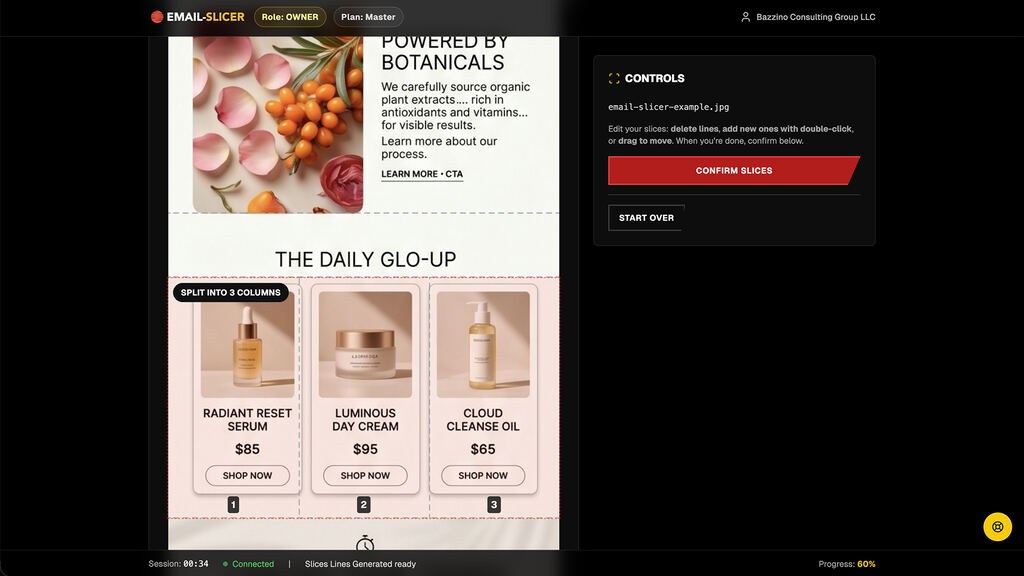
Turning one flat image into an email template can mean two different things. Basic slicing cuts the image into smaller images, so the whole email stays visual and every text change means a new design export. Production slicing also decides which sections can become editable.
Email-Slicer does both inside the same review: design-sensitive sections stay as image slices, and eligible image-based copy can become real Klaviyo text blocks your team edits later.
Image to email template — not arbitrary HTML
Email-Slicer turns an image email design into a Klaviyo template made of native image and text blocks. It is not a general image-to-HTML generator and does not hand you code to maintain; Klaviyo produces the final email from those blocks.
If your workflow needs hand-written HTML, an HTML email builder is the better category.
Authorized Klaviyo access
Email-Slicer is a published Klaviyo Technology Partner. Teams connect through Klaviyo’s official OAuth authorisation flow instead of sharing private API keys, choose the destination account for each export, and can revoke access from Klaviyo at any time.

Owner (account admin)
Billing, organization, integrations, full access.
Samurai (team manager)
Team management and production oversight.
Ninja (production member)
Production access only—no billing or integrations.
Converting image designs
Turn your next approved image into a Klaviyo template.
Start with a JPG or PNG and review every slice before export.
5 free exports · No credit card required


 Ask Google about Email-Slicer