
Email platform · Klaviyo
Klaviyo email slicer: from approved design to editable Klaviyo template
Email-Slicer is the production layer for Klaviyo email design work: it turns an approved design into a reviewed, editable Klaviyo template without rebuilding it block by block. It does not replace Klaviyo’s own editor—your team keeps editing, testing and sending there.
5 free exports · No credit card · Connect Klaviyo only when you export

What stays editable after export?
Only eligible text becomes editable. Approved visual regions can stay as image slices, each with its own link and alt text. The operator decides section by section before export.

Eligible copy recovered from the design arrives as a real Klaviyo text block your team can edit.

Design-sensitive regions stay as images, with per-region links and alt text, inside structured rows.
The production handoff
Email slicing should produce more than image files.
A flat approved design does not automatically become a useful Klaviyo email. Someone still has to decide:
- Which sections the email is actually made of
- Where columns belong and how they behave
- What has to stay visual
- What can remain editable copy
- Where every link points
- What alt text each element carries
- Which desktop or mobile image variants are used
- Which Klaviyo account receives the template
- Who signs off before anything is created
Email-Slicer treats slicing as the production step between the approved design and the editable Klaviyo template.
From approved design to Klaviyo template
 01
01Bring the approved design
Start from the Figma frame, JPG or PNG your team already signed off.
 02
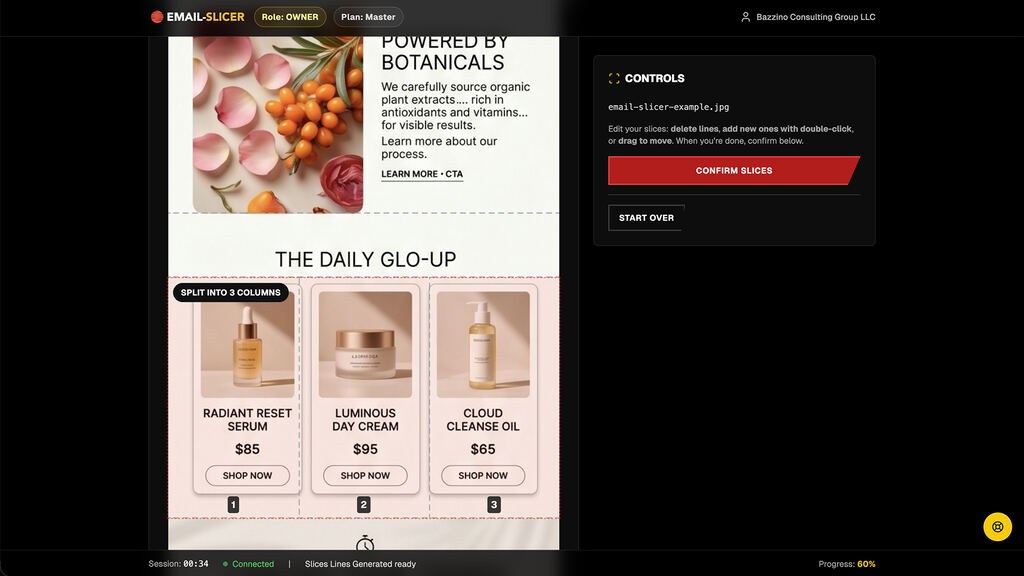
02Detect the production structure
Email-Slicer proposes the likely sections and the rows that should be split into columns.
 03
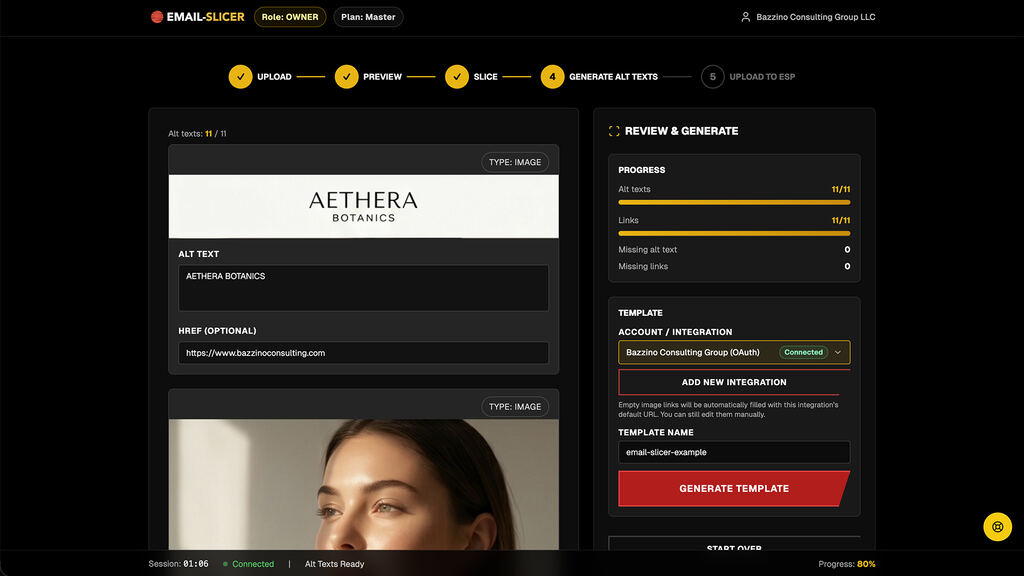
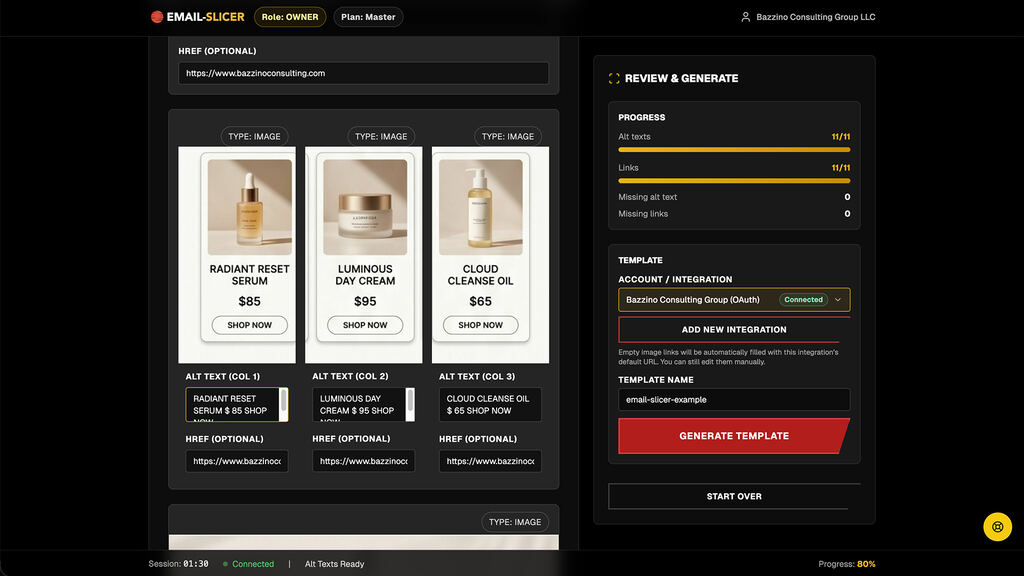
03Review before export
The operator checks editable versus visual content, links, alt text, and desktop or mobile image variants.
 04
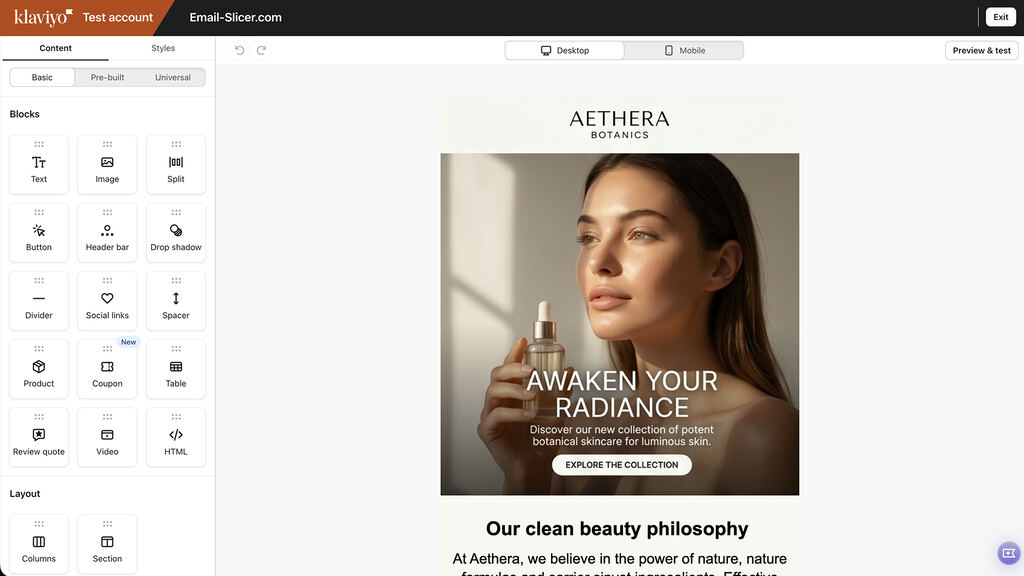
04Create the template in Klaviyo
Choose the destination Klaviyo account and export through the authorized Klaviyo workflow.


When to use Email-Slicer vs the native Klaviyo editor
They do different jobs and are often used together.
Where the email is designed
- Native Klaviyo editor
- Inside Klaviyo, block by block
- Email-Slicer
- Elsewhere — Figma or any tool exporting JPG/PNG
Highly visual, approved layouts
- Native Klaviyo editor
- Rebuilt manually from the design
- Email-Slicer
- Sliced from the approved design, with eligible copy kept editable
Simple text-led emails
- Native Klaviyo editor
- Usually the fastest option
- Email-Slicer
- Rarely needed
Several client accounts
- Native Klaviyo editor
- Work inside each account
- Email-Slicer
- Choose the destination account per export
Final edits, testing and sending
- Native Klaviyo editor
- Yes
- Email-Slicer
- No — handled in Klaviyo after export
Authorized Klaviyo access
Email-Slicer is a published Klaviyo Technology Partner. Teams connect through Klaviyo’s official OAuth authorisation flow instead of sharing private API keys, choose the destination account for each export, and can revoke access from Klaviyo at any time.

Owner (account admin)
Billing, organization, integrations, full access.
Samurai (team manager)
Team management and production oversight.
Ninja (production member)
Production access only—no billing or integrations.
Built for teams that do this more than once.
- Multiple client and Klaviyo account contexts in one workspace
- Project history for work that repeats every week
- Roles so operators, reviewers and owners have the right access
- Destination routing so the reviewed template lands in the intended account
- Usage visibility across recurring campaign production
Evidence from real production
7,000+
exports analyzed
4 minutes
average export time
Published
Klaviyo Technology Partner
Observed elapsed project-to-export time across 7,000+ exports — not active labor time or guaranteed time saved.
Klaviyo questions
Keep exploring
Figma to Klaviyo
Start the same workflow from an approved Figma frame.
Image to Klaviyo template
What a JPG or PNG design becomes after review.
Best email slicer tools
Evaluate slicing workflows by what happens after the cut.
Pricing
Connected Klaviyo accounts and collaborators by plan.
Klaviyo template tools by category
Native editor, builders, HTML tools, Figma tools and slicers.
Try the Klaviyo workflow with a real approved design.
Review the detected production structure first. Klaviyo is connected only when you export.
5 free exports · No credit card required


 Ask Google about Email-Slicer